Read your results
Where to find the answers, what each number means, and how to work with reader comments.
The dashboard
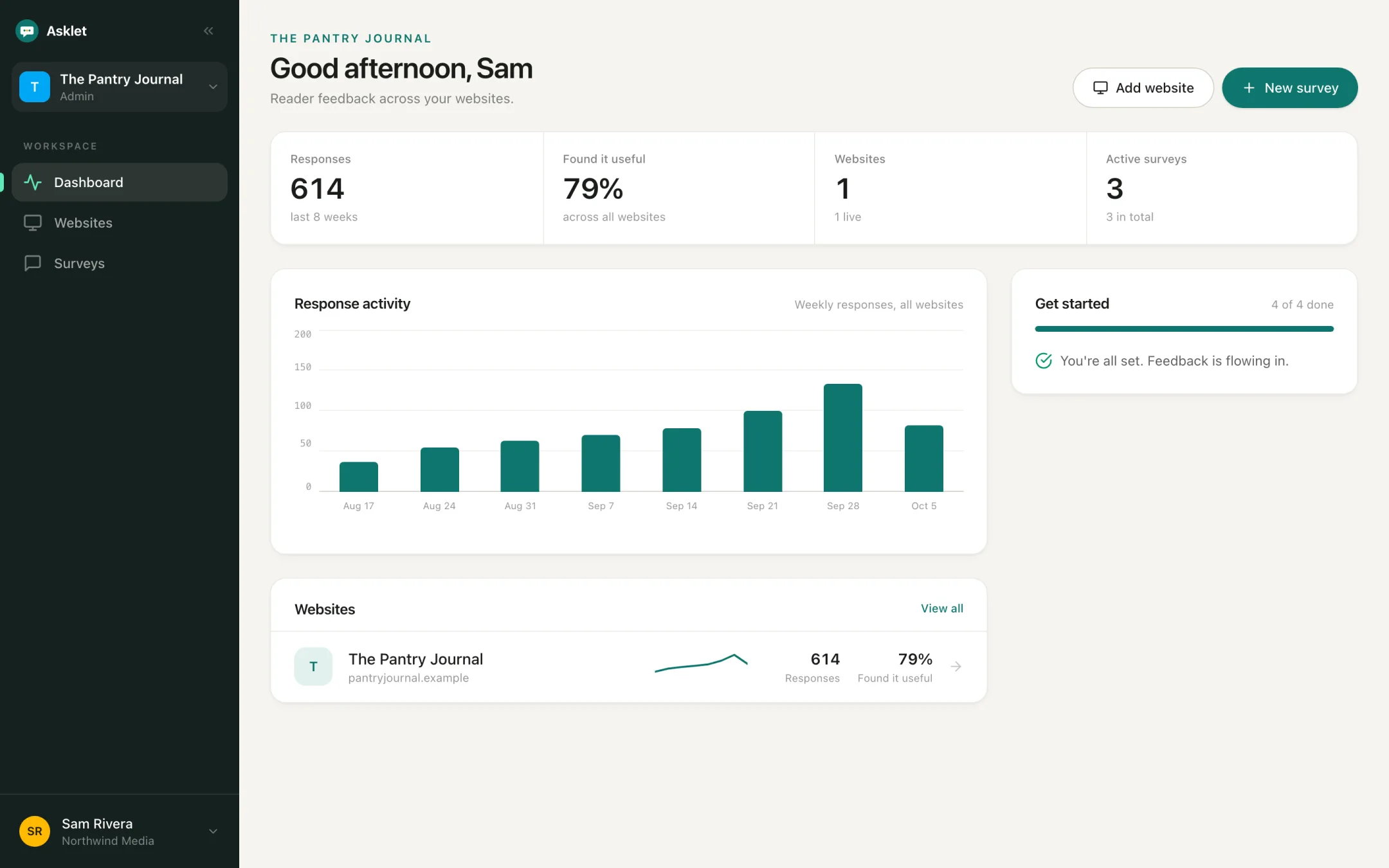
Your starting point. It shows responses over the last 28 days, active surveys, websites and Found it useful: the share of readers who answered Yes to a survey's first Yes / No question. Below that, a chart of responses per day across all your websites and a row per website. Pick another period at the top, the same way as on a website's results.
A website's results
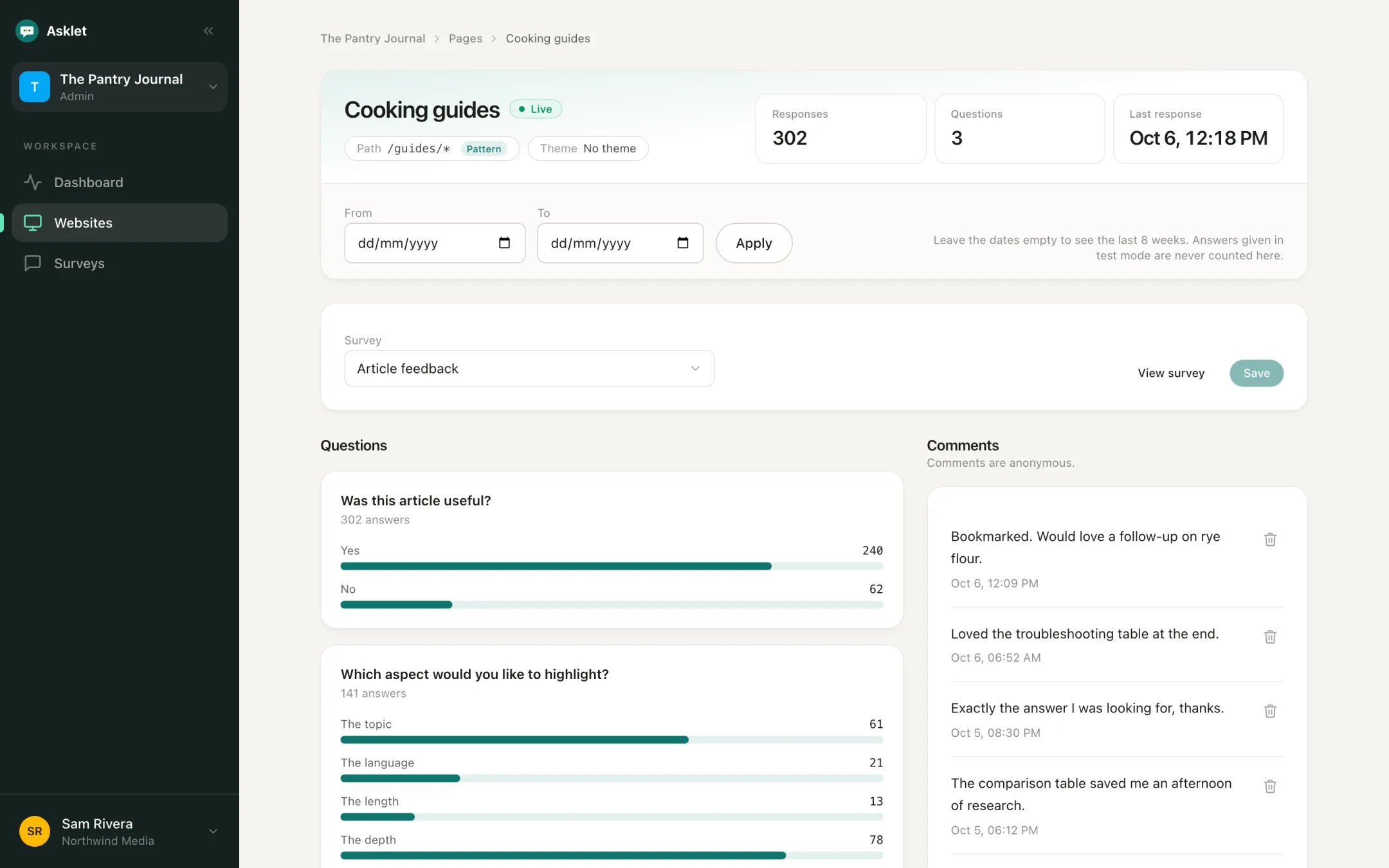
Open a website: its Results tab combines every page of the site, including readers on pages you haven't added. It shows a weekly trend, each question's answers, the pages readers answered on and the comments.
A page's results
In the Pages tab, open a page to see only its answers. For a pattern like /guides/*, you also see which addresses the answers came from.
Choose the period
Results show the last 28 days by default. Pick 24 hours, 7 days or 3 months instead, or click More, set From and To and click Apply for another period, up to 52 weeks.
What each question shows
Each question type has its own summary:
- Yes / No: the share of Yes and No.
- Rating and sliders: the average and the spread of answers.
- Multiple choice: how often each option was picked.
- NPS: the NPS score with promoters, passives and detractors.
- Free text: listed as comments below the numbers.
Tip: Percentages appear once there are 10 responses. Before that only counts are shown, so a handful of early answers can't mislead you.
Common questions
Why do I see counts instead of percentages?
Percentages appear once there are 10 responses in the selected period. Widen the date range or wait for more answers.
Can my AI assistant read these results?
Yes, on the Pro plan. Connect Claude, Cursor or another MCP client with an API key to ask questions about your results and comments.
Comments
Written answers are anonymous and show which page they came from. Use Load more to go further back. If a comment is spam or inappropriate, Delete comment removes it for everyone; the rest of that reader's answers still count.