Article feedback tool
An article feedback tool that shows which articles helped
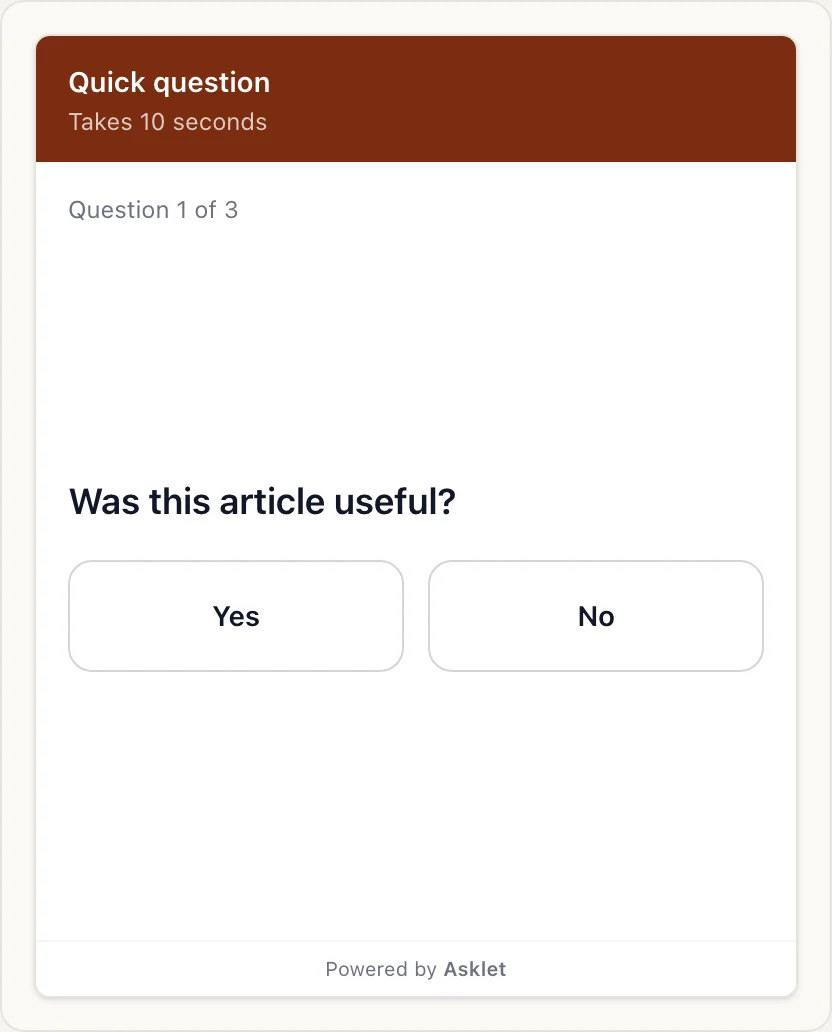
Asklet adds a short survey to the end of your articles. Readers tap Yes or No, pick what stood out and can leave a comment. You see the answers for each article, so you know which ones to update, expand or leave alone.
How it works with Asklet
-
Start from the Article feedback template
It asks "Was this article useful?" with Yes and No. Next it asks which aspect stood out: the topic, the depth, the clarity, how up to date it is and more. Then it offers an optional comment. Edit the questions or write your own.
-
Paste one snippet in your article template
The snippet is a single iframe. Put it after the article body once and every article gets the widget, including the ones you publish later.
-
Read the results per article
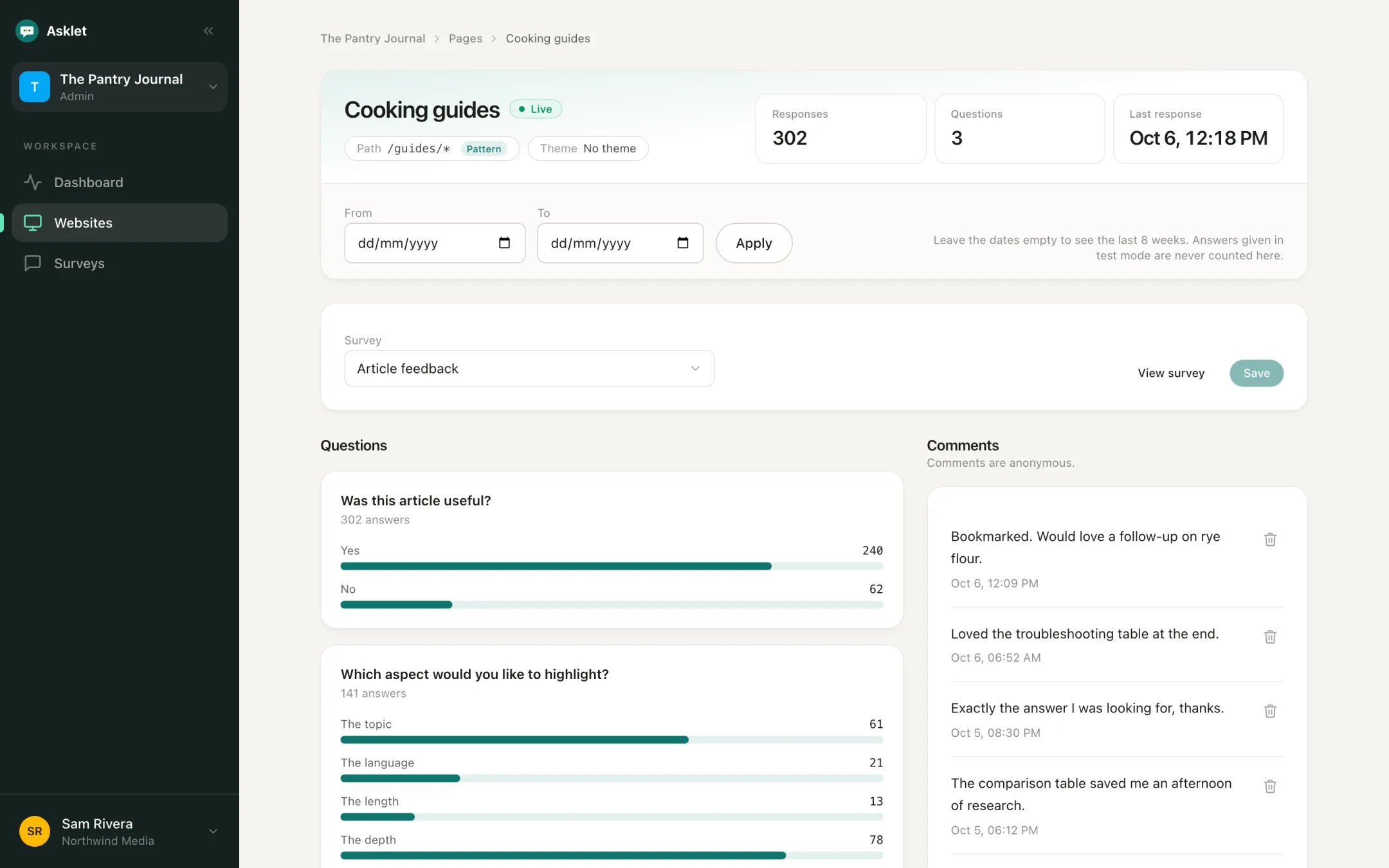
Each answer keeps the path it was given on. Compare articles, group them into themes and read the comments next to the numbers.
Where to ask
One snippet covers every type of article. Use path patterns to give each section its own questions.
News and analysis
Ask whether a story explained what happened and why it matters. A run of "No" answers on an explainer tells you to write a follow-up.
Interviews and profiles
Find out whether readers took something useful from a conversation, and which kinds of guests they want next.
Guides and how-tos
See which guides answered the question and which ones left readers stuck. The comments usually name the step.
Reviews, rankings and buying guides
Check whether readers found what they needed to decide, and spot lists that have gone out of date.
Docs pages
"Did this page answer your question?" on every docs page, with guides for Docusaurus, Mintlify, MkDocs and VitePress.
Read the use caseHelp centre articles
"Did this article solve your problem?" on every help article shows which ones still send people to support, including on Zendesk Guide.
Read the use caseExample reader questions
Start with one question readers can answer in one tap. Add a follow-up for the people who want to say more.
- Was this article helpful? Yes / No Any article
- How would you rate this article? Star rating Features and long reads
- Which aspect would you like to highlight? Multiple choice Topic, depth, clarity, how up to date it is
- Did this guide solve your problem? Yes / No Guides and how-tos
- What was missing from this article? Free text Follow-up
- What should we write about next? Free text End of the survey
From answers to editorial decisions
A "No" on its own does not say what to fix. The follow-up questions do: readers pick what stood out or write what was missing, and each comment shows the article it came from.
- Update articles that get few "Yes" answers and comments about out-of-date details
- Expand pieces where readers say the depth or length fell short
- Plan follow-ups from what readers ask for in their comments
- Set a date range to compare the answers before and after a rewrite
Why ask on the page, not by email
Readers answer while the article is in front of them, with one tap. You do not need their email address, and nobody signs in.
The widget sets no cookies and stores no IP addresses, so it does not need a consent banner. Emails and phone numbers typed into comments are removed before they are saved.
Works with the CMS you already use
The snippet is plain HTML, so it works on WordPress, Ghost, Webflow, Framer, beehiiv and custom sites, and the iframe loads only when a reader scrolls near it. An Asklet plugin for WordPress is in review for the WordPress.org directory; until it is listed, the snippet does the same job.
Common questions
What is an article feedback tool?
A small widget on each article that asks readers a short question, such as "Was this article helpful?", and reports the answers per article. It tells you whether the content worked, which page views and scroll depth cannot.
Can different sections ask different questions?
Yes. Add a page with a path pattern such as /guides/* and give it its own survey. Articles that match no page show the website's default survey.
Do readers need an account, or to accept cookies?
No. Answers are anonymous, nobody signs in, and the widget sets no cookies.
Will it slow my articles down?
No. The iframe loads lazily, only when a reader scrolls near it, and it adds no script to your page.
Can I try it for free?
Yes. The Free plan covers one website, 10 live pages and 100 responses a month, and no card is needed.
Related
- Micro-surveys for content sites
- Reader feedback for news and tech publishers
- Add an article feedback widget to WordPress
- How results per article work
- Free feedback question generator
- A feedback button or side tab for any page
- A documentation feedback widget
- Add a feedback widget to Zendesk Guide
- Add a feedback widget to Docusaurus
Get your first answers today.
Set-up takes a few minutes, and the free plan covers one website or app.
Start freeFree plan, no card needed.