Results
See how each article is doing
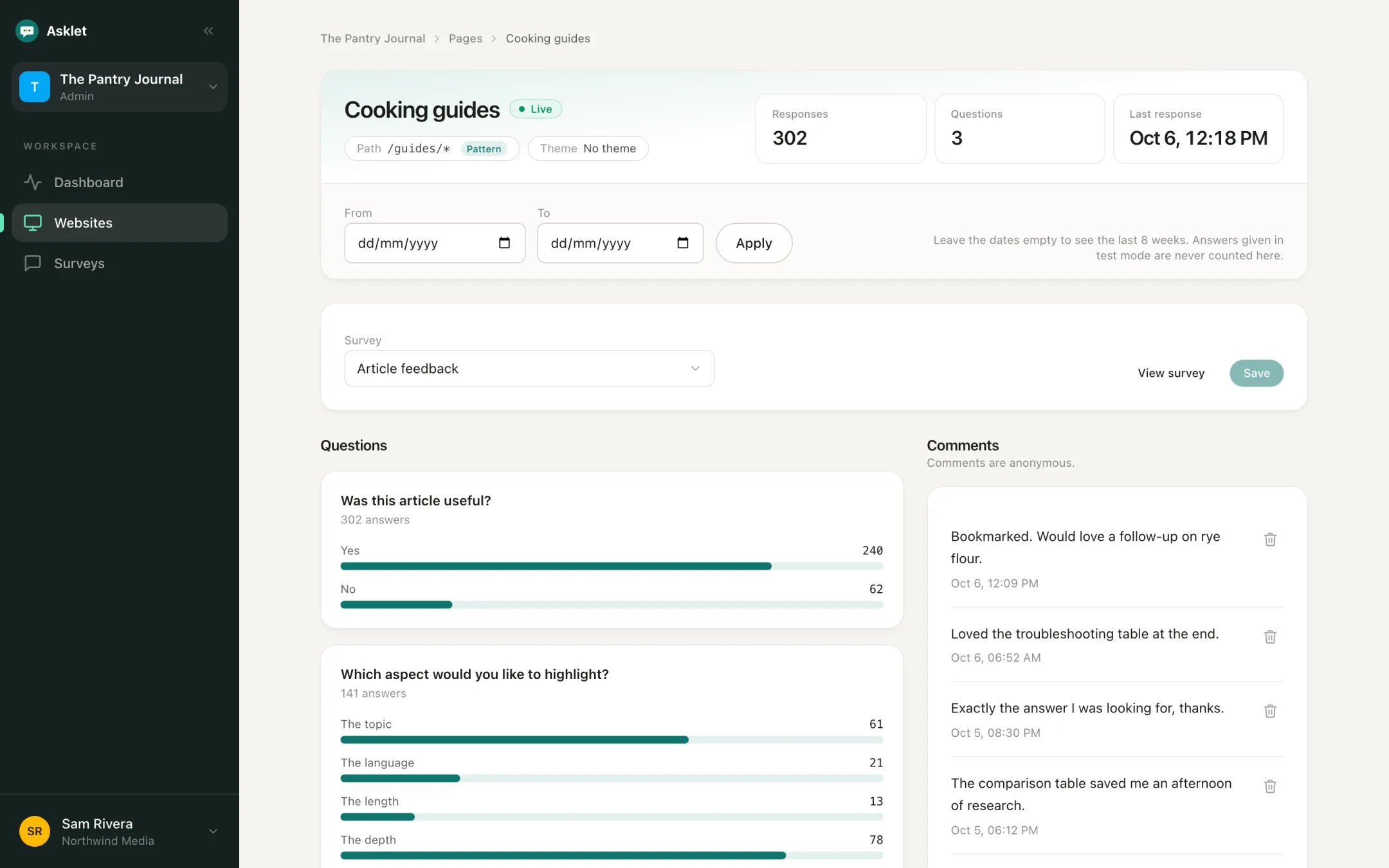
Answers are grouped by website, by page and by the exact path the reader was on. You can see which articles help and which ones need work.
What you can do
Per page and per path
Every answer keeps the path it was given on. A pattern such as /guides/* gives you one result for the section and shows which articles the answers came from.
Counts before percentages
You always see counts. Percentages only appear once a page has enough responses to mean something, so three answers never show up as "67% unhappy".
Group pages by theme
Put pages into themes such as "Recipes" or "Reviews" and compare whole topics as well as single articles.
Pick a date range
Results cover the last 8 weeks by default. Set your own dates to compare before and after you rewrote a page.
Comments you can act on
Free-text answers sit next to the charts. Delete the ones you don't need, and export them on the Pro plan.
Test answers stay out
Answers given while a page is in draft are stored as test answers and never counted, so trying the widget yourself doesn't skew the numbers.
Every website on one dashboard
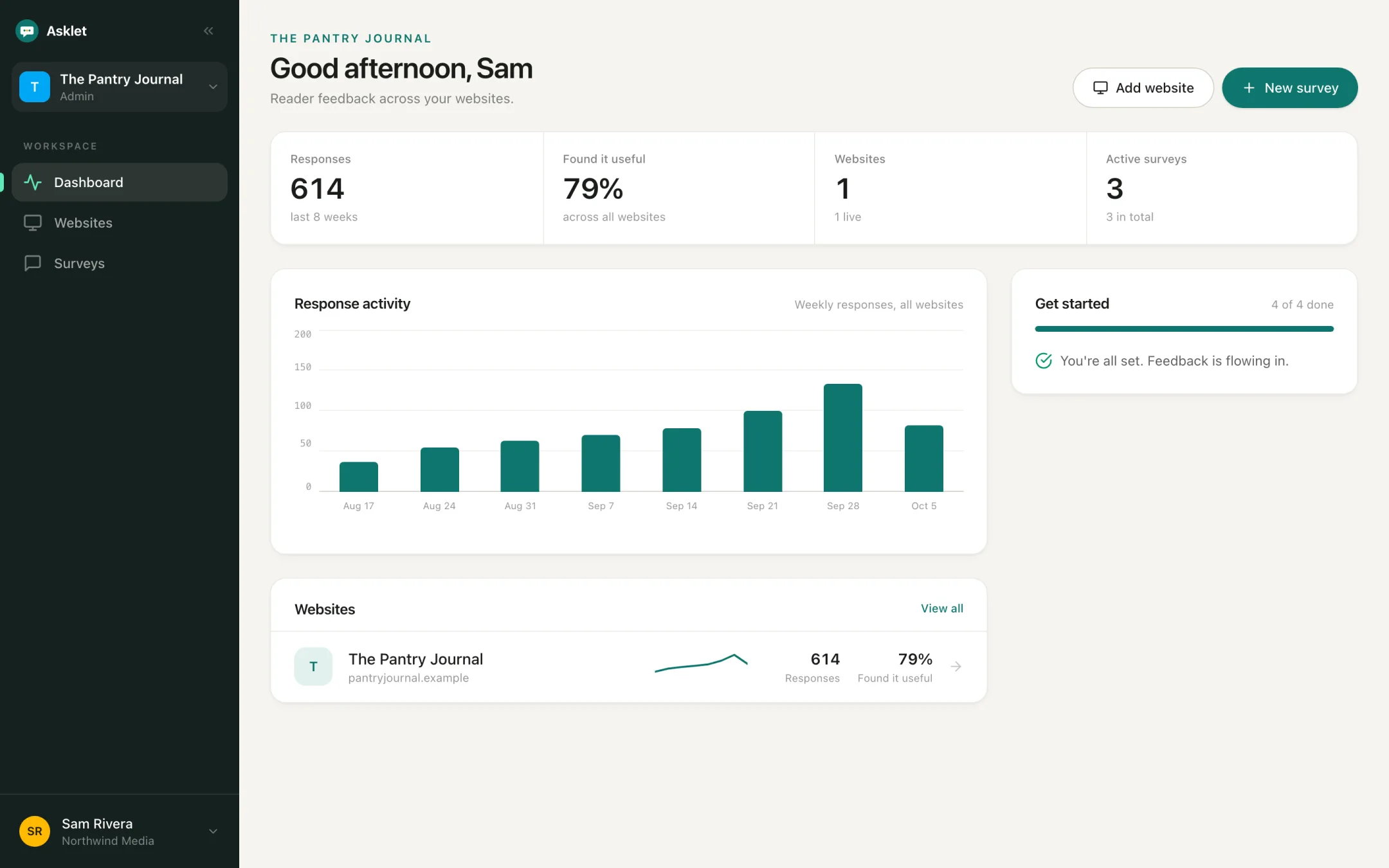
The dashboard adds up responses across your websites, shows the weekly trend and the share of readers who found the content useful, and lists each site with its own numbers.
Common questions
How many responses do I need before percentages show?
Counts show from the first answer. Percentages wait until a page has enough answers to be meaningful, so a handful of early answers don't look like a trend.
Can I see which article an answer came from when I use a pattern?
Yes. Each answer stores the path the reader was on (the path only, no query string), so a pattern page shows which articles the answers came from.
Can I export the results?
Comments can be exported on the Pro plan. You can also read results from an AI assistant through the MCP server on Pro.
More features
Get your first answers today.
Set-up takes a few minutes, and the free plan covers one website or app.
Start freeFree plan, no card needed.