Widget design
A feedback widget that looks like part of your site
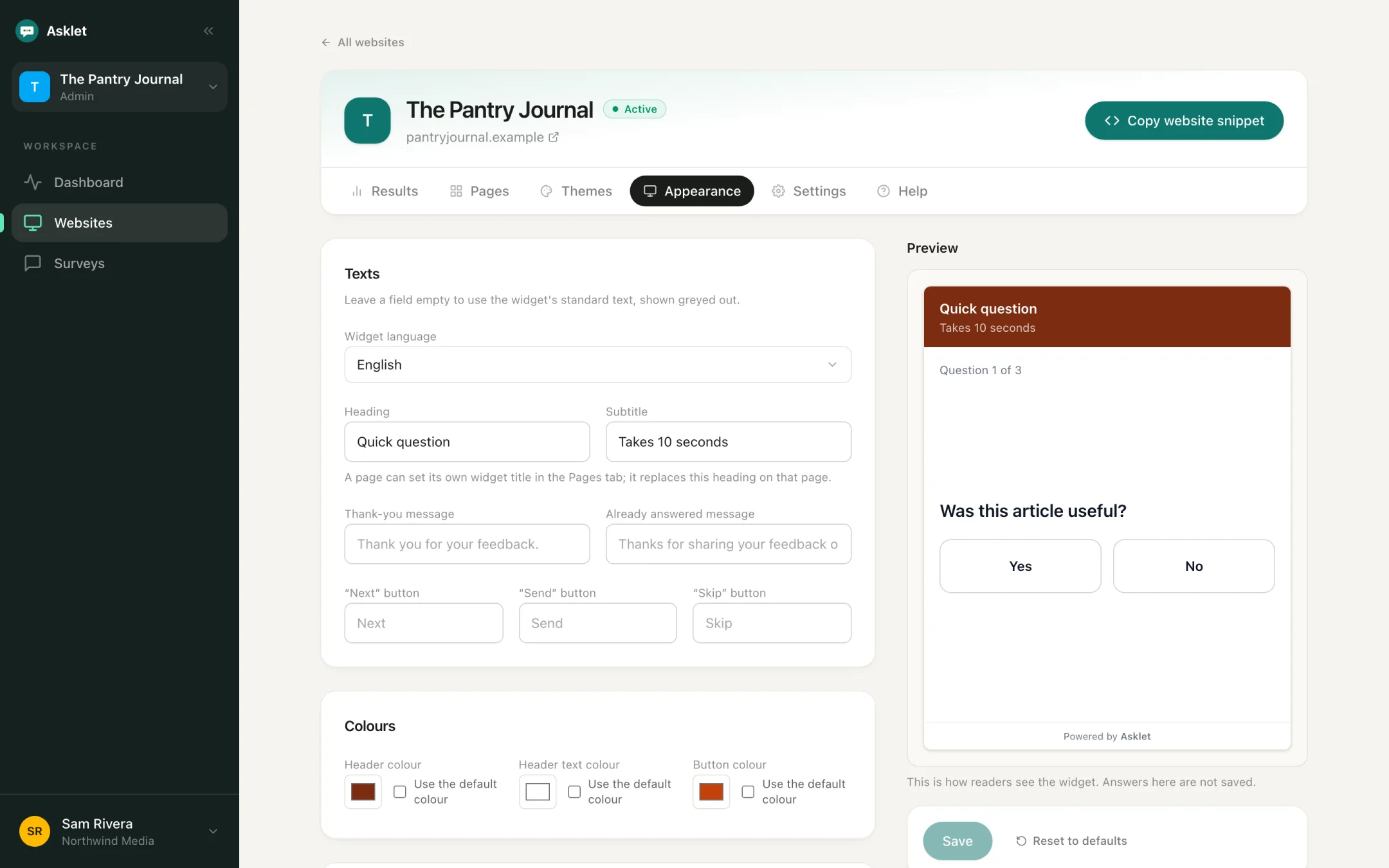
Set the colours, texts, font and shape of the widget for each website, and check every change in a live preview before you save it.
What you can do
Colours and texts
Choose the header, text and button colours, and write your own heading, subtitle, thank-you and "already answered" messages. Leave a field empty to keep the standard copy.
Shape and type
Sharp, rounded or pill corners, a solid or minimal header, a light or dark background, a system or serif font, and three text sizes.
Progress and skipping
Show progress as text, a bar or not at all, and choose whether readers can skip a question.
Two languages
The widget's own copy comes in English and European Portuguese. Pick the language per website.
Inline, bubble, side tab or slide-in
The snippet is a plain iframe that loads lazily, so it doesn't slow the page down. Show it inline, in a chat-style bubble, a side drawer or a dialog.
See the ideasRemove the credit
The small "Powered by Asklet" line can be removed on the Pro plan.
What your readers see
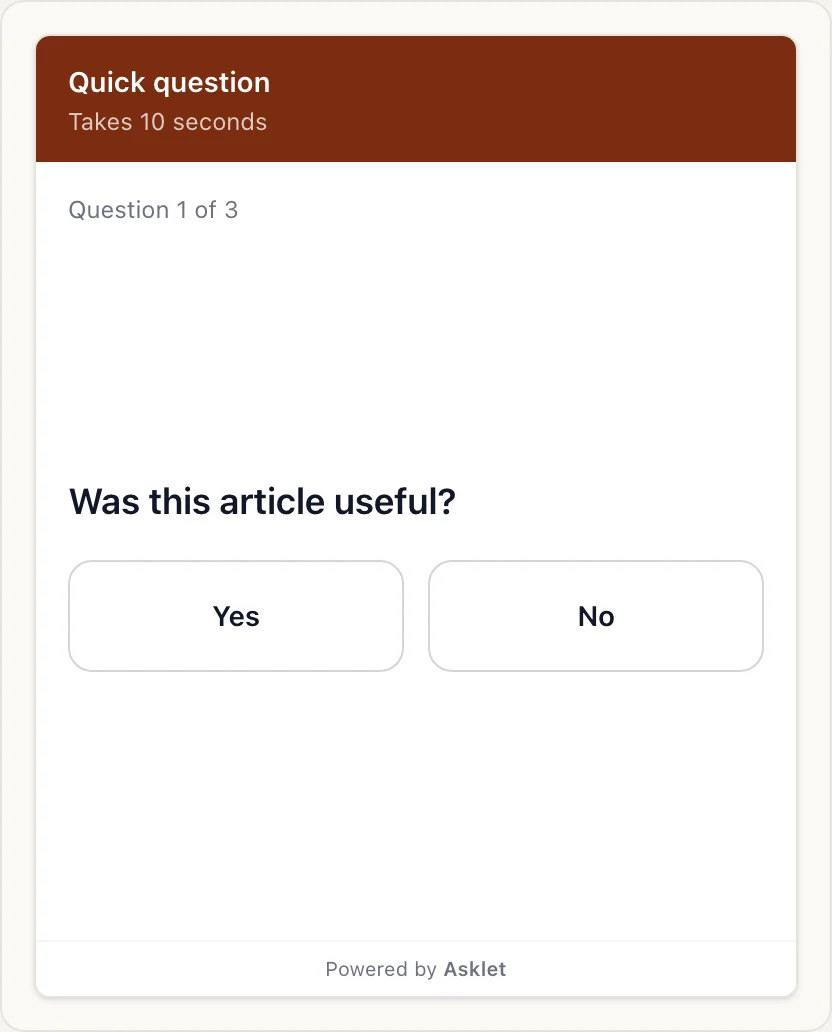
One question at a time, big tap targets and nothing to sign in to. The widget works with a mouse, touch or the keyboard alone.
Common questions
Can I use different colours on different websites?
Yes. Appearance is set per website, so each site can match its own brand.
Can I change the heading on one page only?
Yes. A page can set its own widget heading, which replaces the website's heading on that page.
Is the widget accessible?
It is built to meet WCAG 2.2 AA: every control has a label and works from the keyboard, and the star and NPS buttons behave as a radio group for screen readers.
More features
Get your first answers today.
Set-up takes a few minutes, and the free plan covers one website or app.
Start freeFree plan, no card needed.