Teams and workspaces
One account for your whole team and all your sites
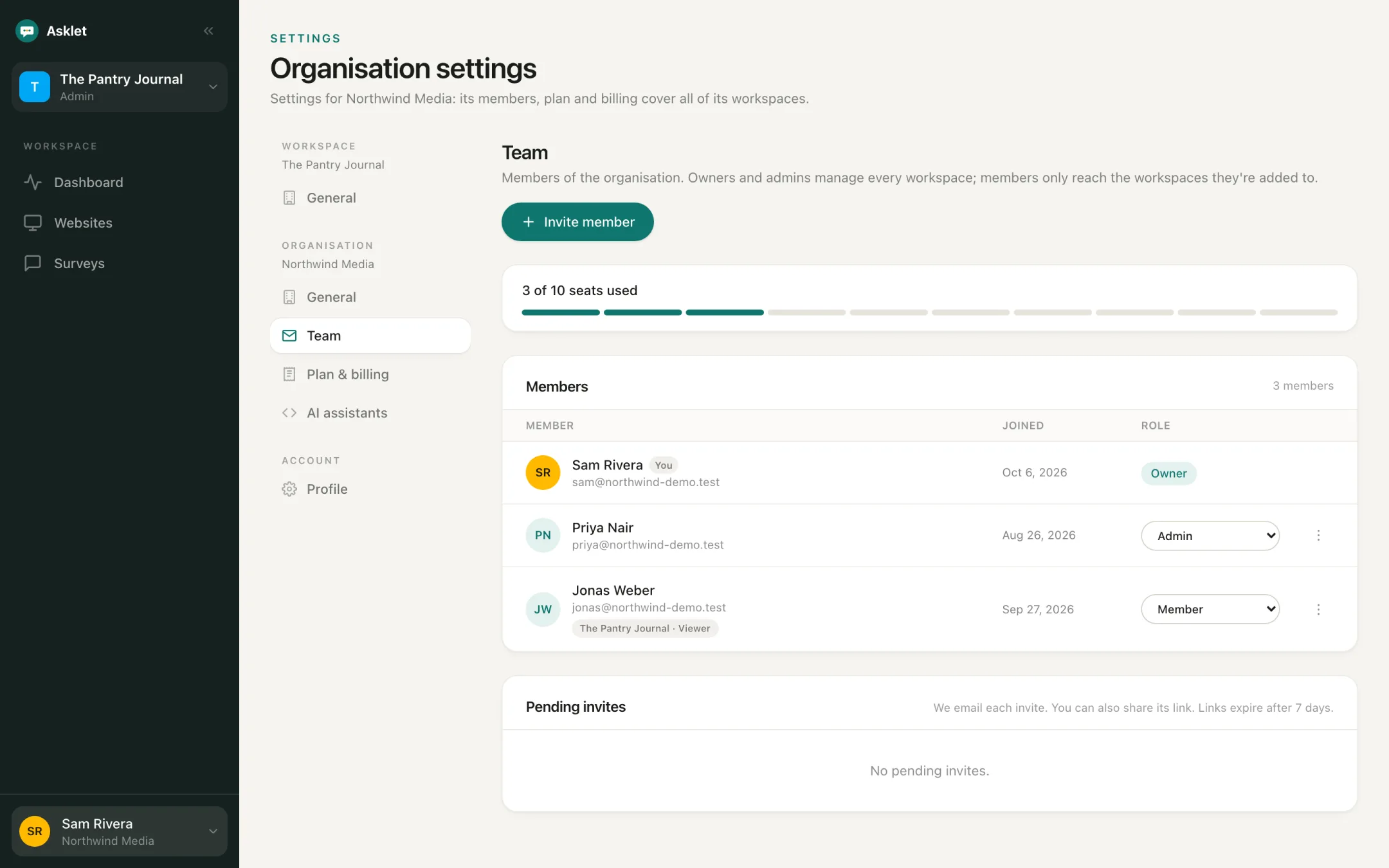
An organisation holds your plan, your members and as many workspaces as you need. Give each person access to the workspaces they work on.
What you can do
Organisations and workspaces
The organisation is the account. Workspaces split its websites, surveys and question bank, for example one per brand, product or client.
Roles that match how teams work
Owners and admins reach every workspace. Members only see the workspaces they are added to, as an admin who can edit or a viewer who can only read.
Invites by email
Invite people by email with the role they need. You can also share the invite link. Links expire after 7 days.
One plan for everything
The subscription belongs to the organisation, and its limits are counted across all of its workspaces.
Several organisations
Agencies and freelancers can belong to more than one organisation and switch between them from the account menu.
Switch in one click
The workspace switcher at the top of the sidebar moves you between the workspaces you can open. Plan, team and billing stay with the organisation.
Common questions
How many people can I invite?
Free has 1 seat, Starter 2 and Pro 10. Pending invites count as seats until they are accepted or cancelled.
Can a client see their results without editing anything?
Yes. Add them as a member with viewer access to their workspace. They can read results but can't change surveys or pages.
How many workspaces can I have?
One on Free, two on Starter and five on Pro.
More features
Get your first answers today.
Set-up takes a few minutes, and the free plan covers one website or app.
Start freeFree plan, no card needed.