Paths and patterns
The right survey on every page, from one snippet
Add the snippet to your site template once. Then choose which survey shows where, using exact paths or patterns that cover whole sections.
What you can do
One snippet for the whole site
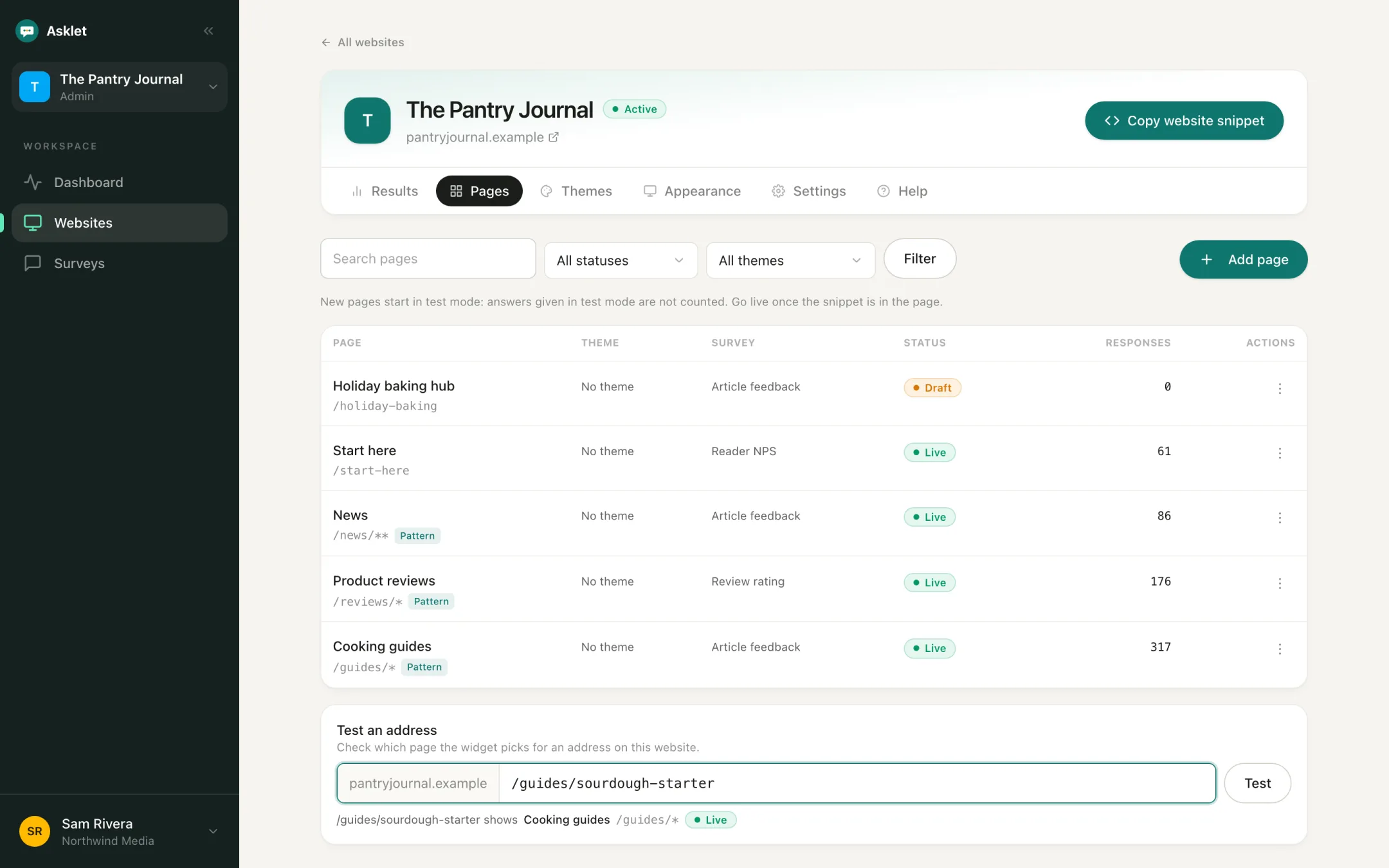
The same iframe goes into your article or page template. Which survey it shows is decided by the reader's path, so new articles are covered as soon as they go live.
Patterns for whole sections
/posts/* matches every post, /blog/** matches anything under /blog, and /app/projects/*/settings matches the same screen in every project. Paste an address with ids in it and the path field suggests a pattern for you.
Overlaps explained, not blocked
Paths can overlap. While you type, the editor tells you which page wins on the shared addresses, or warns you when a page would never show.
Draft, live and paused
New pages start in draft, so you can try the widget on your real site without counting the answers. Go live when you're ready, or pause a page to switch the widget off there.
A survey and heading per page
Each website has a default survey. Any page can use a different survey and its own widget heading, such as "Did this guide help?" on your guides.
Test an address
Type any path on your site and see which page the widget picks, using the same lookup the live widget uses.
Common questions
Do I need a separate snippet for each page?
No. One snippet per website. The widget reads the path it is shown on and picks the page and survey that match.
What happens on a path that matches nothing?
Each website has a default page that catches every path without a page of its own, so readers still see your default survey there.
Do query strings or domains affect matching?
No. Matching uses the path only. The widget only loads on the domains you list for the website.
More features
Get your first answers today.
Set-up takes a few minutes, and the free plan covers one website or app.
Start freeFree plan, no card needed.