News & digital publishers
Reader feedback for news and digital publishers
Page views tell you what people opened. A one-tap question at the end of each article tells you whether it was worth their time.
The problem
Analytics can show you traffic and scroll depth, but not whether a reader found the answer, trusted the piece or wanted more on the topic.
Comment sections attract the loudest few, and newsletter surveys arrive days later, detached from the article they are about.
How it works with Asklet
- 01
Add the snippet to your article template
Paste one iframe at the end of your article layout. Every article gets the widget - no per-article work.
- 02
Give each section its own questions
Point /news/* at a short survey and /guides/* or /reviews/** at another. New articles are covered the moment they are published.
- 03
Compare articles and topics
Read results per path, and group pages into themes to see which topics land and which fall flat.
/news/* example path patternQuestions to start with
- Was this article helpful?
- Which best describes you?
- Is anyone missing from this list?
- Did this review help you decide?
- What should we write about next?
What you get
- Spot outdated or confusing articles before they cost you readers
- Plan your editorial calendar around what readers ask for
- Learn who reads each section without tracking anyone
- Show sponsors and editors what readers thought of each article, next to its page views
Ask each kind of story its own question
A news story, an interview and a buyer's guide do different jobs for the reader. Path patterns such as /news/*, /interviews/* and /reviews/** send each section to its own survey.
- On news stories, ask whether the story was useful and which topics readers want more of.
- On interviews and profiles, ask whether readers came away with something they can use, and who they want to hear from next.
- "Top startups" and "best tools" lists date quickly. Ask whether anyone is missing, and update the lists readers say are stale.
- A guide should answer one question. A one-tap "Did this answer your question?" shows which guides do.
- On reviews, find out whether each one helped readers decide, and which need a refresh after a price change or a new model.
Compare feedback across articles and topics
Each answer is stored with the path the reader was on. A pattern page such as /news/* gives one result for all your news stories and lists the articles the answers came from.
Themes add a second view. Put pages into themes such as "Fintech", "Climate" or "AI" and the Results tab breaks the answers down by theme, so editors can see which beats readers rate highly and which ones they find thin.
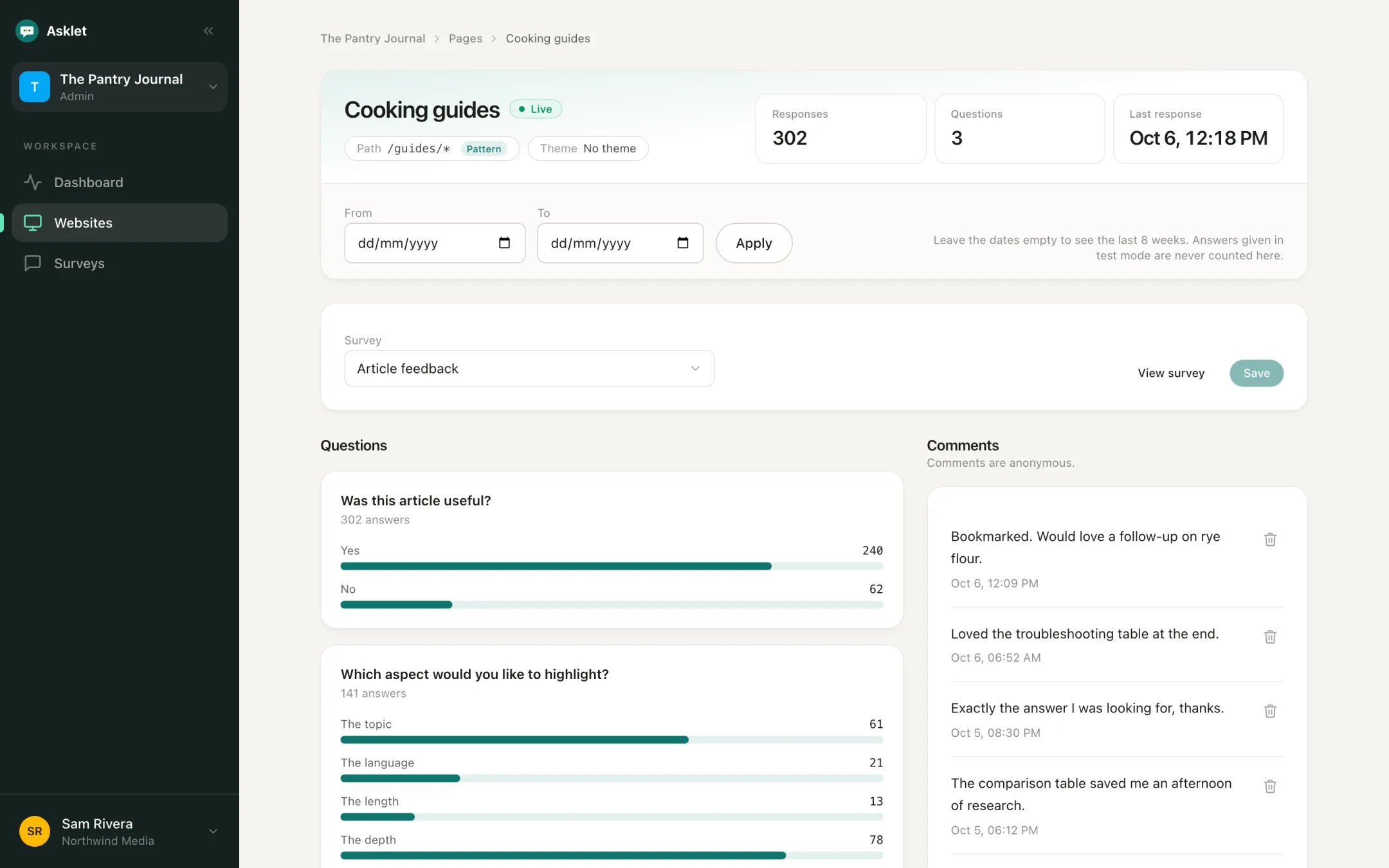
Learn who reads each beat, anonymously
A single-choice question such as "Which best describes you?" shows the mix of readers on each section: on a tech title, founders, investors and operators. You see totals per page and per theme, never a profile of one reader.
Editors can use it to plan coverage. Commercial teams can use the counts and comments when they talk to partners about an audience.
Keep guides, rankings and reviews current
Ask readers whether an article felt up to date. They tend to notice an outdated figure, a product that has shut down or last year's model. Set a date range to compare the answers before and after you update it.
One account for every publication
Put each publication, edition or brand in its own workspace. Editors can be admins of the workspaces they run, and colleagues who only need to read results can have viewer access.
Common questions
Does it work on WordPress, Ghost or Substack-style platforms?
It works anywhere you can paste an HTML iframe into your article template - WordPress, Ghost, beehiiv, Webflow, Framer or a custom site. Platforms that block custom HTML embeds can't show it.
Can news stories and guides ask different questions?
Yes. Add a page for each section with a path pattern such as /news/** or /guides/* and give it its own survey. Articles that match no page show the website's default survey.
Can I compare feedback across topics?
Yes. Group pages into themes such as "Fintech" or "AI". Each theme shows the answers of its pages added together, and the Results tab breaks answers down by theme.
Will the widget slow down my articles?
No. The iframe loads lazily, only when a reader scrolls near it, so it doesn't affect how fast the article itself appears.
Can we see who answered?
No. Answers are anonymous by design. To learn about your audience, ask a single-choice question such as "Which best describes you?" and read the totals.
Do readers need to accept cookies?
No. The widget stores no cookies and no identifiers, so it doesn't need a consent banner.
We run several titles. Do we need several accounts?
No. One organisation can hold several workspaces, one per publication or brand, under a single plan.
Related
More use cases
Get your first answers today.
Set-up takes a few minutes, and the free plan covers one website or app.
Start freeFree plan, no card needed.